
Security
Security Automation Cuts Response Delays: What to Check First
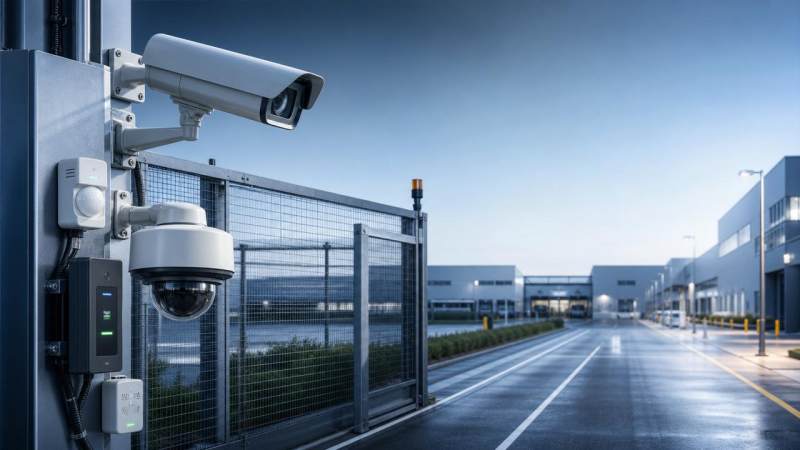
Security automation can reduce response delays, but only when the basics are verified first. For operators facing alarms, access events, and shifting site conditions, the real question is not whether automation helps, but what to check before trusting it at scale. This article highlights the first critical points to review—from rule logic and device status to visibility, escalation paths, and compliance readiness—so teams can improve speed without creating new risks.
What should operators verify before relying on security automation?
In mixed environments such as campuses, logistics yards, transport hubs, smart construction sites, and municipal facilities, security automation often connects video, access control, sensors, lighting, and incident workflows. The promise is faster handling. The risk is silent failure.
For operators, the first review should not start with dashboards or AI labels. It should start with the chain of trust: what event triggered the action, whether the device state was valid, and whether the automated response matched the actual site condition.
This matters because response delays are rarely caused by a single weak point. They usually come from stacked issues: noisy rules, camera blind spots, stale access groups, overloaded alert queues, and missing escalation logic. Security automation only shortens delay when those foundations are clean.
- Verify event sources first. A door forced-open alarm has different operational meaning than a badge denial or a motion trigger after hours.
- Check whether the automated action is proportional. Lockdown, flood lighting, operator pop-up, and guard dispatch should not be tied to every low-confidence event.
- Confirm whether human review remains visible. Automation should remove delay, not remove operator judgment in high-impact decisions.
The first operational checks that prevent false speed
Many teams measure speed by how quickly a system reacts. Operators should measure speed by how quickly the right action is completed without rework. That is a different standard, and it changes what must be checked first.
The table below summarizes the first security automation review points that directly affect response delays in real operations.
These checkpoints look basic, but they are where many deployments fail. Security automation does not usually break in the headline feature. It breaks in the assumptions behind timing, context, and responsibility.
How rule logic affects response delay more than most teams expect
Rule logic is where speed can become confusion. A rule may be technically correct yet operationally wrong. For example, a perimeter alert tied to broad motion detection may trigger maintenance traffic, weather movement, or routine deliveries. Operators then spend time clearing noise instead of handling true exceptions.
In the broader security and illumination environment, logic also depends on optical conditions. Night scenes, glare, low lux zones, and shifting shadows can change event reliability. This is where GSIM’s focus on optical environment optimization becomes practical rather than theoretical. Better automation starts with understanding visual context, not only software settings.
Questions operators should ask when reviewing rules
- Does the rule reflect current operating hours, temporary closures, visitor patterns, and contractor access windows?
- Is the rule linked to a single device, or does it require corroboration from video, access events, or intercom activity?
- What happens after trigger activation? Pop-up only, recorded clip, light adjustment, guard dispatch, remote lock, or multi-step escalation?
- Is there a confidence threshold or exception list to reduce noise from known benign activity?
Security automation becomes more trustworthy when rules reflect actual site behavior. That often means revising logic after commissioning, seasonal change, or layout modification rather than treating configuration as fixed.
Which device and infrastructure checks should come next?
After rule logic, operators should inspect the physical and digital path that carries the event. Response delays often come from infrastructure drift: a camera with partial obstruction, a reader that is online but unsynchronized, or a sensor that reports late because of unstable connectivity.
In integrated environments, time synchronization is especially important. If video, access, and alarm logs do not align, the operator wastes critical minutes validating the timeline. A fast automated response is not useful if the evidence trail is confusing.
Core technical checks for dependable security automation
The next table helps operators review the technical conditions that most directly influence response timing, event credibility, and workflow continuity.
For sites expanding under 2026 digital infrastructure programs, this device-level discipline becomes even more important. New projects often integrate legacy hardware, modern analytics, and temporary field equipment. Security automation must be checked at the seams, not only at the center.
Why visibility and escalation design matter as much as detection
Detection without visibility creates operator hesitation. Even when automation triggers on time, response can still stall if the operator must open multiple interfaces, search for camera views, or manually contact the next person in the chain.
Good security automation should reduce decision friction. It should present event type, location, linked footage, recent access activity, and the next required action in a single operational view whenever possible.
Signs that escalation design is adding delay
- Alerts route to generic inboxes or shift phones without acknowledgement tracking.
- High-priority incidents use the same notification path as low-priority maintenance exceptions.
- Operators cannot see whether field personnel received, opened, or accepted the task.
- Escalation timing ignores site geography, staffing levels, or after-hours service coverage.
GSIM’s Strategic Intelligence Center is valuable here because response design increasingly depends on more than hardware capability. Policy interpretation, procurement trends, and cross-border compliance expectations now influence how organizations structure monitoring, retention, and automated workflows.
What should buyers and operators compare before scaling security automation?
Scaling from a pilot to a multi-site program requires a different buying lens. Operators need systems they can trust during night shifts, staffing shortages, and mixed-risk periods. Procurement teams need clarity on interoperability, training burden, and upgrade risk.
The comparison below is useful when reviewing a new deployment, an expansion phase, or a retrofit decision involving security automation across diverse environments.
This type of comparison helps avoid a common mistake: buying for features rather than operational fit. Security automation is valuable only when operators can interpret it quickly and governance teams can defend it clearly.
How do compliance and optical conditions affect trust in automated response?
As surveillance policies tighten and public expectations rise, compliance cannot be treated as a late-stage checkbox. Automated recording, access event linking, alert retention, and remote monitoring may all carry legal or policy implications depending on jurisdiction and site type.
Operators do not need to become legal specialists, but they do need systems that make compliant handling easier. That includes role-based visibility, retained action logs, documented rule changes, and clear separation between safety use cases and broader monitoring use cases.
Practical compliance and environment checks
- Review whether automated workflows align with local electronic surveillance requirements and internal approval policies.
- Confirm that event logs, operator actions, and notification records can be retrieved for audit or incident review.
- Assess lighting quality and optical scene stability, especially where analytics drive alerts at night or during adverse weather.
- Check whether future upgrades may include AI vision or VLC-linked infrastructure, and whether the current design can absorb those changes.
This is where GSIM offers a meaningful advantage. By connecting security policy, optical technology, sector news, and commercial insight, GSIM helps teams evaluate security automation not just as a software feature, but as part of a broader decision environment.
Common mistakes operators should avoid
Mistake 1: Assuming faster trigger equals better response
A trigger that fires instantly but sends the wrong action, wrong view, or wrong recipient does not improve performance. It only shifts work downstream. Measure completed response, not system reaction alone.
Mistake 2: Ignoring lighting and scene quality
Security automation that depends on weak visuals often creates unstable results. Reflection, glare, dark transitions, and uneven illumination can all reduce confidence and increase review time.
Mistake 3: Rolling out one rule set to every site
A hospital entrance, a depot gate, and a civic building lobby do not share the same risk profile. Site-specific schedules, occupancy patterns, and escalation responsibilities must shape automation logic.
Mistake 4: Treating compliance as a post-deployment task
Retrofitting governance into a live system is slower and more expensive than designing for it early. Security automation should be reviewed against data handling, operator access, and incident documentation from the beginning.
FAQ: what operators often ask about security automation
How do I know if security automation is actually reducing delay?
Track more than alert time. Compare time to verify, time to escalate, time to field response, and time to close. If triggers are faster but verification or reassignment is slower, the workflow still needs redesign.
What sites benefit most from security automation?
Sites with repeated event patterns, defined zones, and integrated systems often benefit first. Examples include public safety projects, smart construction sites, logistics compounds, education facilities, and urban infrastructure nodes with after-hours monitoring needs.
What should be checked before expanding from one site to many?
Review rule portability, device consistency, network resilience, operator training, and local compliance requirements. Multi-site scaling fails when teams assume the pilot environment represents every operating condition.
Can security automation work well with legacy infrastructure?
Yes, but only if compatibility and event integrity are checked carefully. Legacy systems may support basic triggers while limiting context, audit depth, or synchronized action. Operators should confirm what is automated, what remains manual, and where latency enters the chain.
Why choose us for security automation evaluation and planning?
GSIM supports teams that need more than product lists. Our value is in connecting physical security assurance with optical environment optimization, policy awareness, and practical procurement judgment. That helps operators and decision-makers review security automation with a clearer view of risk, readiness, and scalability.
If you are assessing a new project or troubleshooting response delays in an existing deployment, you can consult GSIM on several specific points:
- Parameter confirmation for event rules, low-light scenes, linked actions, and escalation timing.
- Product and solution selection across cameras, access control, analytics, lighting coordination, and integrated monitoring workflows.
- Delivery planning for retrofit versus new-build environments, including phased deployment considerations.
- Compliance-oriented review of electronic surveillance workflows, audit trail expectations, and cross-region operational differences.
- Quotation discussions, sample support paths, and customized evaluation for smart construction sites, public safety projects, and digital infrastructure upgrades.
For operators, the key takeaway is simple: security automation reduces response delays only when the first checks are done well. Start with rules, device state, visibility, escalation, and compliance readiness. Once those are stable, automation becomes a force multiplier rather than a new source of risk.
The VitalSync Intelligence Brief
Receive daily deep-dives into MedTech innovations and regulatory shifts.