
Security
Why Does an Alarm System Keep Triggering False Alarms?
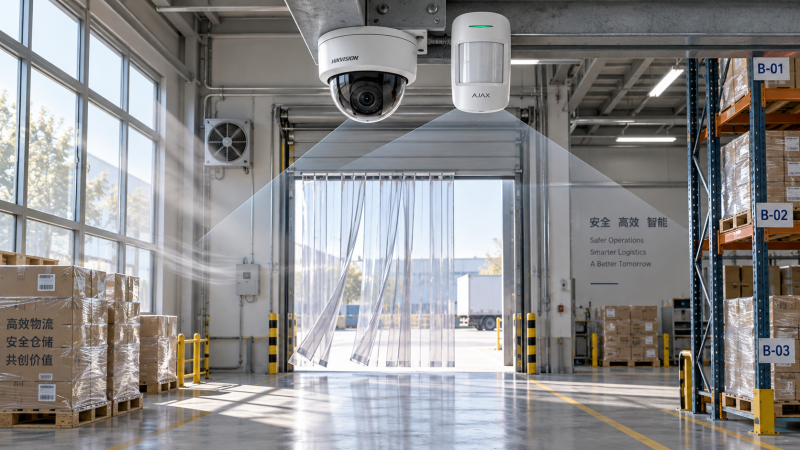
Why does an alarm system keep generating false alarms? The short answer is that an alarm is responding to a condition it has been configured to interpret as a threat, even though no genuine intrusion, fire, safety incident, or equipment emergency exists. That condition may be as simple as a loose magnetic contact or as difficult to diagnose as changing light, airflow, network instability, or conflicting automation rules.
False alerts are more than a nuisance. In a warehouse, construction site, office campus, retail property, or residential estate, repeated activations interrupt work, consume security resources, and gradually teach people to ignore the warning. That is the dangerous part: when a real alarm eventually occurs, response may be slower because confidence in the system has already been damaged.
A reliable investigation should not begin with the assumption that the alarm panel is defective. Most recurring false alarms come from the relationship between the device, its placement, the local environment, installation quality, and the way people use the building. The best fix is usually not “make the sensor less sensitive.” It is to identify exactly what the system is seeing and why it is treating that event as actionable.
An alarm is only as accurate as the signal it receives
Every detection technology has limits. Passive infrared (PIR) motion detectors look for changes in infrared energy patterns. Door and window contacts monitor whether two aligned parts remain together. Glass-break detectors listen for acoustic signatures. Video analytics classify movement and objects. Smoke, heat, water-leak, vibration, and perimeter sensors each interpret a different physical condition.
False alarms happen when a non-threatening event resembles the expected signature closely enough to cross the system’s threshold. A PIR device may react to direct sunlight moving across a floor, warm air discharged from an HVAC outlet, or an animal entering an unprotected area. A contact may open briefly because a door frame shifts with temperature or because the magnet is marginally aligned. A video-based alarm may treat headlight glare, rain, insects near the lens, or a swinging banner as an intrusion unless its detection zone and classification rules are properly tuned.
The key distinction is between a sensor event and an alarm event. A sensor can register movement, vibration, a state change, or a loss of communication without that event necessarily needing to trigger a full response. Better system design uses verification, timing rules, zone logic, and clear escalation paths to make that distinction deliberately.
Placement errors often hide in plain sight
Poor positioning is one of the most common reasons an alarm system keeps triggering false alarms. Devices are sometimes installed where cable routes are convenient rather than where detection conditions are stable. That compromise can create months of unnecessary callouts.
Motion sensors should be assessed against real movement patterns, not an empty-room test performed at handover. Consider ceiling fans, doors that open into the field of view, loading-bay curtains, heaters, reflective glass, skylights, and machinery that changes temperature throughout the day. In facilities with high ceilings or uneven layouts, a standard detector location may not provide the expected coverage at all.
For perimeter protection, the surrounding physical structure matters just as much. A gate contact mounted on a flexible metal frame, for example, may be exposed to vibration from traffic or wind. External beam detectors can be affected by vegetation growth, accumulated dirt, fog, nesting birds, and gradual misalignment. The device itself may be functioning correctly; its environment is simply no longer the environment assumed during installation.
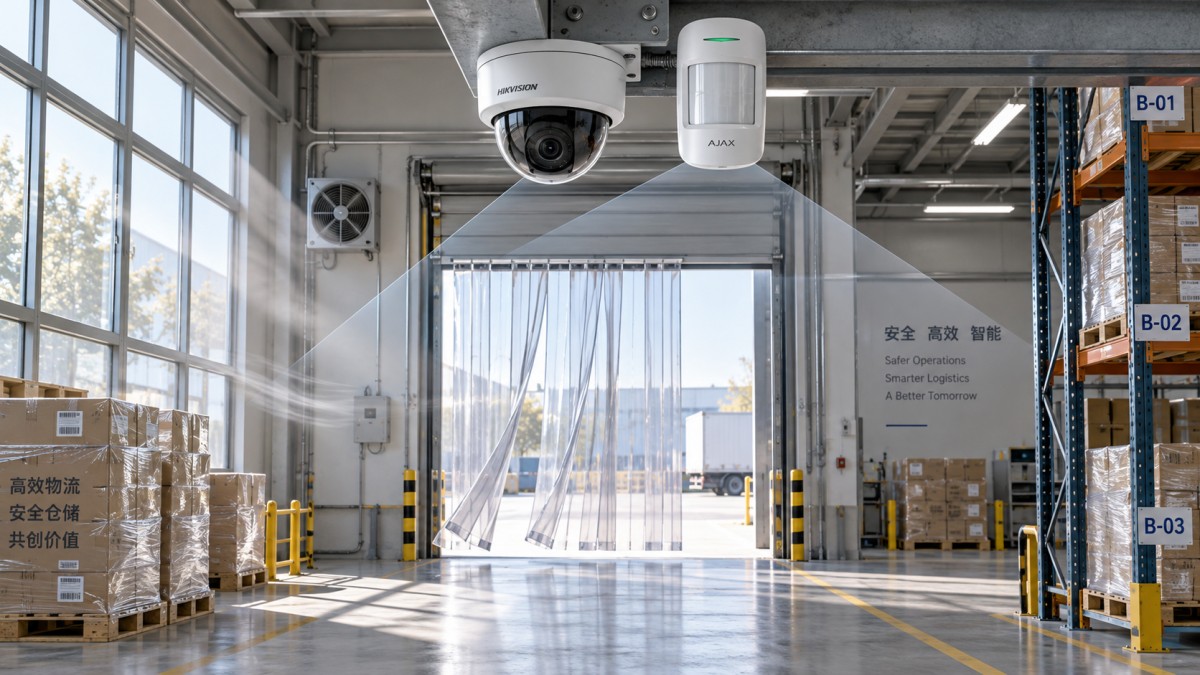
A useful field question is: what changed at the site shortly before the false alarms began? New shelving, a relocated air vent, seasonal sunlight, a different cleaning routine, temporary construction barriers, or revised operating hours can all alter sensor behavior. Alarm troubleshooting is often less about finding a broken component than reconstructing a changed operating environment.
Environmental interference is not limited to weather
Outdoor systems face obvious exposure to wind, rain, insects, temperature variation, and vegetation. Indoor systems can be just as complex. Dust in manufacturing areas, steam near kitchens, airborne particles in warehouses, electromagnetic noise around industrial equipment, and vibration from nearby machinery can all affect specific device types.
Illumination deserves closer attention than it often receives. Security cameras and analytics depend on usable scene conditions, not simply on whether a lamp is present. Sudden changes in brightness, poorly aimed floodlights, glare from reflective surfaces, vehicle headlights, and rapid shifts between dark and bright zones can produce unreliable video events. Conversely, lighting that is too weak or uneven can force a camera into conditions where noise, motion blur, or insect activity becomes more prominent.
This is why physical security and optical environment optimization should be assessed together. A camera or sensor may need repositioning, but the more durable answer could involve altering the lighting angle, shielding a luminaire, adjusting a detection area, or separating a pedestrian route from a protected zone. Treating illumination as an afterthought can leave an otherwise capable alarm system performing poorly.
Configuration can create alarms that the hardware never intended
Incorrect settings are a frequent cause of recurring alerts, especially after system expansions, software updates, staffing changes, or a change in monitoring provider. Common issues include schedules that do not match actual occupancy, zones left armed during cleaning or maintenance, duplicated notifications, unapproved users with outdated credentials, and integration rules that pass a minor fault directly into a critical alarm workflow.
Sensitivity settings require restraint. Reducing sensitivity may stop a nuisance event, but it can also create a blind spot. Increasing delay times can prevent short disturbances from escalating, but it may be unsuitable for a high-risk access point. The correct setting depends on the protected asset, expected traffic, response model, and the consequences of delayed detection.
Modern sites also need to examine integrations. Access control, video management, building management, intrusion detection, and remote monitoring platforms may exchange events through rules that are not always visible to frontline operators. A false alarm may originate from a door held open, a camera’s analytic rule, a network drop, or a failed supervisory signal rather than from the intrusion detector shown on the operator screen.
Aging components and neglected maintenance change the baseline
Alarm systems do not remain static after commissioning. Batteries weaken, contacts loosen, housings degrade, seals fail, lenses collect dust, wiring connections oxidize, and wireless paths become less reliable when the building layout changes. A low-battery warning is not always an alarm, but it can be an early indication that device behavior is becoming unstable.
Wireless systems need particular attention to signal conditions. New metal racking, machinery, partitions, or neighboring radio activity may affect communication reliability. Repeated supervision faults should not automatically be dismissed as a “wireless problem”; installers should review device location, antenna conditions where applicable, interference sources, power status, and the event log sequence.
Maintenance should be risk-based rather than purely calendar-based. A lightly used interior door contact and an external detector exposed to dust, traffic, and weather do not face the same failure conditions. Reviewing recurring event codes, alarm timing, environmental exposure, and service history helps prioritize work before the issue becomes operationally disruptive.
How to investigate false alarms without guessing
A disciplined investigation begins with records. Note the exact zone, device identifier, date, time, weather or operating conditions, armed state, and event sequence. A single “alarm received” message is rarely enough. The minutes before and after activation may reveal a preceding door event, power fluctuation, communication fault, lighting change, or user action.
Then inspect the area under comparable conditions. If alerts occur at dawn, inspect at dawn. If they occur when forklifts begin operating, observe the zone during that activity. This approach is more effective than testing a sensor at a convenient but unrelated time of day.
- Confirm whether the event is a genuine detector activation, a tamper event, a communication fault, or an integration-generated alert.
- Check alignment, mounting stability, physical damage, contamination, cabling, battery condition, and nearby heat, light, airflow, or vibration sources.
- Compare schedules, access records, maintenance activity, and occupancy patterns with the alarm timestamps.
- Review changes made to firmware, software rules, network infrastructure, building layout, or lighting since the problem started.
- Test any corrective measure in a controlled way and document whether it changes alarm frequency or simply hides the symptom.
For higher-risk sites, consider layered verification rather than dependence on one device. Examples may include using video assessment to support perimeter alerts, pairing complementary sensing methods where appropriate, or creating escalation rules that differentiate a transient fault from a confirmed intrusion. The appropriate approach needs to reflect local requirements, privacy obligations, the monitoring arrangement, and the site’s own threat profile.
When fewer alarms can mean more risk
It is tempting to solve false alarms by disabling troublesome zones, masking parts of a camera image, widening thresholds, or permanently bypassing devices. Those actions can be justified temporarily during repair, but they should never become an undocumented normal condition. A quiet system is not necessarily a reliable system.
The objective is not zero events. A well-managed security system should surface meaningful events, communicate faults clearly, and make it possible for operators to understand what happened. If a zone is repeatedly bypassed because “it always alarms,” the organization has lost both protection and visibility in that area.
Clear ownership matters. Facilities teams may see a building-condition issue, IT may see a network issue, security may see an operational failure, and the installer may see a device issue. Without a shared event record and agreed responsibility, each team can address only part of the problem while the false alarms continue.
Designing for confidence, not just detection
The most dependable alarm strategies begin before equipment is selected. They consider how the site is used at night, how lighting changes across the day, where staff and contractors move, what environmental stresses exist, how faults are reported, and who will respond when an alert arrives. Device specifications matter, but context determines whether those specifications translate into useful protection.
In the 2026 environment of digital infrastructure expansion and urban safety upgrades, this joined-up view is becoming more necessary. The Global Security & Illumination Matrix (GSIM) examines physical security assurance alongside optical conditions, global compliance developments, and the evolving relationship between AI vision and Visible Light Communication. Its Strategic Intelligence Center is intended to help decision-makers connect technical choices with operational realities rather than treating alarms, lighting, surveillance, and policy as isolated topics.
When an alarm system keeps triggering false alarms, start with evidence rather than assumptions. Identify the event source, observe the local conditions, verify configuration and maintenance status, and avoid fixes that reduce alarms by reducing protection. The answer is often found at the boundary between technology and the real environment it is expected to secure—where risks must be seen clearly before they can be managed.
The VitalSync Intelligence Brief
Receive daily deep-dives into MedTech innovations and regulatory shifts.