
Security
Security Automation Use Cases That Reduce Daily Response Time
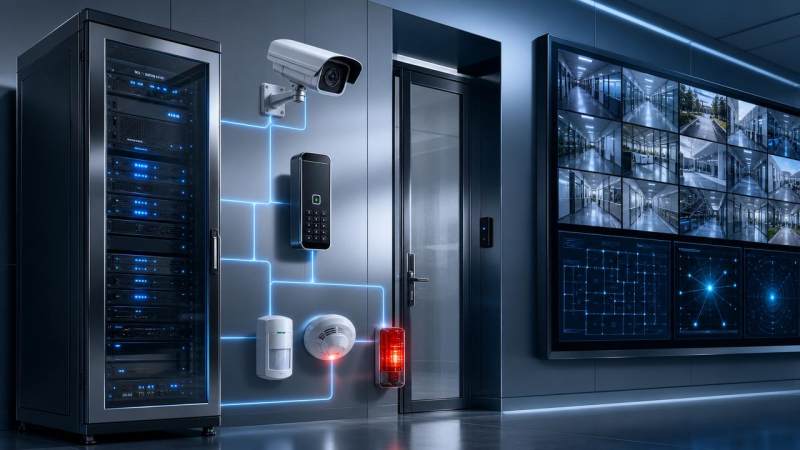
For operators facing nonstop alerts, manual triage can slow action when every second matters. Security automation helps reduce daily response time by streamlining detection, escalation, and routine workflows across physical security environments. In this article, GSIM explores practical use cases that improve efficiency, strengthen situational awareness, and support faster, more consistent decisions in today’s evolving security operations.
For most users searching for security automation, the real question is not whether automation sounds useful. It is whether it can help teams act faster today without adding complexity, blind spots, or extra operational burden. The short answer is yes, but only when automation is applied to specific response bottlenecks instead of treated as a vague technology upgrade.
Operators and frontline users usually care about a practical set of outcomes: fewer repetitive tasks, quicker verification of events, cleaner escalation paths, and more consistent actions across shifts. They also want to know where automation fits in daily work, which use cases deliver value first, and how to avoid over-automating decisions that still require human judgment.
This is why the most useful discussion of security automation starts with workflow friction. Where are alerts delayed? Which tasks consume operator attention but add little analytical value? Which decisions are routine enough to standardize? When those points are clear, automation becomes a tool for reducing response time rather than another dashboard to monitor.
Why daily response time remains slow in many security operations
In many physical security environments, slow response is not caused by a lack of devices. It is caused by too many disconnected signals arriving without context. Video feeds, access control events, intrusion alarms, intercom calls, environmental sensors, and guard reports often reach the operator as separate inputs. The operator becomes the integration layer, which is inefficient and risky.
Manual verification is another major delay point. A door forced-open event might require the operator to find the correct camera, review the scene, identify whether the access holder is authorized, contact a supervisor, and then notify a mobile team. Even when the final response takes only a few minutes, those first 30 to 90 seconds often disappear into navigation, switching systems, and confirming basic facts.
Shift variation also matters. Experienced operators may know exactly how to prioritize events, while newer staff may hesitate, over-escalate, or miss the fastest route to action. Security automation helps reduce this inconsistency by embedding standard workflows directly into the response sequence.
That is the first operational value of security automation: it reduces time lost between detection and decision. It does not replace people. It removes the unnecessary friction around them.
What good security automation actually looks like for operators
For users and operators, effective automation is usually invisible at first glance. It appears as a smoother process: alerts arrive with context, cameras pop up automatically, priority levels are assigned by logic, notifications go to the right people, and routine actions happen without repeated clicks. The operator still makes the critical judgment call, but with less wasted motion.
A good automated workflow normally includes five elements. First, it detects an event from one or more systems. Second, it correlates that event with supporting data such as camera views, access credentials, location, and schedule status. Third, it classifies urgency according to predefined rules. Fourth, it launches the correct response path, such as notifying a guard, locking an area, or opening an incident case. Fifth, it records the action trail for review and compliance.
In this model, the purpose of security automation is not just speed. It is speed with consistency, auditability, and reduced cognitive load. That matters in busy control rooms, campuses, critical facilities, logistics sites, and urban infrastructure environments where operators cannot afford to treat every alarm as a one-off event.
Use case 1: Automated alarm triage for high-volume alert environments
One of the most immediate use cases for security automation is alarm triage. In many facilities, operators face a mix of real incidents, nuisance alarms, duplicate alerts, and low-priority system messages. When everything enters the queue in roughly the same way, genuine threats compete with noise.
Automated triage uses rules and event correlation to sort this inflow. For example, if a perimeter sensor triggers during closed hours and nearby video analytics detect human movement, the event can be automatically raised to a higher priority. If the same sensor has no visual confirmation and has a history of weather-related false alarms, the system can route it to a lower-priority review queue.
This saves time in two ways. First, operators spend less effort opening and dismissing non-actionable alerts. Second, real incidents reach the top of the queue faster. In practical terms, that means more time spent on assessment and response, and less time on digital housekeeping.
For operators, the key advantage is mental clarity. Instead of scanning a flat list of events, they receive a response-oriented workload. This is often where organizations feel the first measurable reduction in daily response time.
Use case 2: Automatic video pop-up and contextual verification
Security teams lose valuable seconds when operators must manually locate the right camera after an alarm. Automatic video association solves this by linking alarms, doors, sensors, and zones to relevant camera views in advance. When an event occurs, the correct live stream, adjacent camera angles, and often a short pre-event clip appear automatically.
This matters because verification is one of the biggest time drains in physical security. A faster view of the scene enables quicker decisions: dispatch, de-escalate, monitor, or ignore. It also reduces guesswork, which helps newer operators perform more like experienced staff.
The strongest implementations go beyond a single camera pop-up. They include map location, badge-holder details, nearby restricted areas, and response instructions. If a loading dock door is opened after hours, the system can show the dock camera, identify whether a valid credential was used, and note whether a scheduled delivery exists. That combination compresses the time between event receipt and operator confidence.
For environments with many entry points or large campuses, this use case often produces outsized gains because it addresses repetitive verification steps that happen dozens or hundreds of times per shift.
Use case 3: Automated escalation and notification workflows
Even when an operator correctly identifies an incident, delays can continue if escalation relies on memory, manual call trees, or personal judgment alone. Security automation helps by formalizing who gets notified, in what order, through which channels, and under what conditions.
Consider a breach at a restricted pharmaceutical storage area. Instead of requiring the operator to remember the entire chain, the system can automatically notify the on-site guard, alert the facility manager, and create a timestamped incident record. If there is no acknowledgement within a defined time window, the alert can escalate to the next contact level.
This is especially valuable for multi-site operations, contract guard environments, and organizations with complex shift structures. Automated escalation ensures that response quality does not depend on who happens to be at the console at that moment.
Another advantage is accountability. Because the system logs each notification and acknowledgement step, supervisors can review where delays occurred and improve procedures based on evidence rather than assumption.
Use case 4: Access control exception handling
Access control generates a large number of events that are routine individually but time-consuming in aggregate. Examples include repeated denied access attempts, anti-passback violations, door held-open alarms, after-hours entry exceptions, and credentials used at unusual times or locations. Many of these require quick interpretation rather than deep investigation.
With security automation, these exceptions can trigger tailored workflows. A door held open for more than a preset duration might initiate an audio reminder, display nearby camera feeds, and notify a rover if the condition persists. Multiple denied access attempts by the same badge at different locations could trigger a higher-priority review and temporary credential suspension pending operator confirmation.
This allows operators to focus on abnormal patterns rather than manually processing every event in the same way. It also supports more consistent treatment of policy exceptions, which is useful in regulated or security-sensitive sectors.
For users, this use case is often attractive because it combines fast operational benefit with relatively clear rule design. The input conditions are structured, and the response logic can be refined over time.
Use case 5: Incident creation, reporting, and evidence packaging
Response time does not end when someone is dispatched. A significant portion of security workload happens immediately after the event: creating reports, attaching screenshots, collecting video, logging actions, and preparing information for supervisors or law enforcement. If this is handled manually, it can drain operator capacity and delay attention to the next incident.
Security automation can create an incident record the moment a defined threshold is met. It can prefill event details, timestamps, location data, involved credentials, and linked video references. In some systems, it can also capture snapshots or package a short evidence clip automatically.
This reduces administrative overhead while improving record quality. Operators no longer need to reconstruct the timeline from memory after a busy period. The result is faster post-event processing and a cleaner operational picture across the whole shift.
For teams measured on both response and documentation quality, this use case delivers a dual benefit: quicker recovery of operator attention and stronger evidence integrity.
Use case 6: Automated patrol dispatch and field coordination
In many sites, response delays occur after the decision to dispatch has already been made. Guards may receive incomplete instructions, duplicated tasks, or unclear location details. Security automation can shorten this stage by sending structured dispatch information directly to mobile devices or guard platforms.
A dispatch can include incident type, map coordinates, recommended route, nearest camera snapshots, and a required acknowledgement timer. If the first responder is unavailable, the system can reroute the task automatically to the next nearest resource.
This is especially valuable in warehouses, industrial zones, campuses, transport hubs, and public infrastructure where distance itself adds delay. By standardizing field communication, automation removes back-and-forth calls and helps teams move with clearer situational awareness.
For operators, the benefit is simple: fewer manual handoffs and less uncertainty about whether the message was received, understood, and acted upon.
Use case 7: Cross-system response in integrated physical security environments
Some of the most effective security automation use cases involve coordinated actions across systems rather than isolated alerts. When an event is validated, the response may require access control, video, lighting, public address, and incident management to work together.
For example, if a perimeter intrusion is confirmed, the system might trigger brighter zone lighting, lock internal access points, display related cameras, push a mobile alert to patrol, and open an incident case automatically. In a public safety setting, a duress button activation could bring up live video, unlock a responder route, and send a predefined message to nearby support personnel.
This kind of orchestration is where automation becomes a force multiplier. It does not just reduce one click or one notification. It compresses an entire chain of actions into a repeatable, policy-aligned workflow.
GSIM sees this as increasingly important in modern infrastructure upgrades, where security assurance and optical environment optimization are becoming more tightly linked. Better illumination, AI-assisted video, and integrated control logic together can improve detection quality and response speed in ways that siloed systems cannot.
How operators can identify the best automation opportunities first
Not every workflow should be automated at once. The fastest wins usually come from mapping the points where operators repeatedly lose time. Start by asking a few simple questions. Which alert types occur most often? Which ones require the same steps every time? Where do operators switch between systems? Which events generate frequent false positives? Which escalation paths are often delayed or inconsistently followed?
From there, prioritize use cases with three traits: high frequency, clear rules, and measurable response delay. Door alarms, intrusion verification, after-hours access exceptions, and standard notification chains often meet this test. Complex judgment-heavy cases can remain operator-led until the foundation is stronger.
It is also important to measure the current state before introducing changes. Average acknowledgement time, verification time, dispatch time, alarm closure time, and false alarm workload are useful baseline metrics. Without them, it becomes difficult to prove whether security automation is delivering operational value.
Common concerns and how to avoid poor automation design
The biggest concern among frontline users is usually not job replacement. It is loss of control. Operators worry that bad rules will flood the system with automatic actions, hide important context, or create confusion in live situations. Those concerns are valid when automation is implemented carelessly.
The solution is to automate routine process steps, not critical judgment. Good design keeps a human in the loop for high-impact decisions while automating data gathering, prioritization, routing, and documentation. It also allows easy override, visible logic, and clear audit trails.
Another common mistake is trying to automate around poor process design. If escalation rules are unclear, contact lists outdated, or camera-device mapping incomplete, automation will only make the flaws run faster. Clean workflows should come before advanced orchestration.
Training also matters. Operators need to understand what the system will do automatically, when it will do it, and where manual intervention is expected. Confidence grows when automation behaves predictably and supports the operator rather than surprising them.
What success looks like in day-to-day operations
Successful security automation does not always appear dramatic. In many cases, the change is visible in quieter, more disciplined operations. Operators spend less time clicking through routine steps. Real incidents are identified earlier. Escalations are cleaner. Shift-to-shift performance becomes more consistent. Reporting quality improves without consuming as much attention.
Over time, these small gains compound. A team that saves even 20 to 40 seconds on common event types can recover meaningful operational capacity across a week or month. In higher-risk environments, those seconds may directly affect containment, safety, and loss prevention outcomes.
That is why the value of security automation should be judged in workflow terms, not just technology terms. The best use cases are the ones that remove repeatable delay from the operator’s day while preserving clarity and control.
Conclusion
Security automation is most effective when it is applied to the real friction points of daily response: triage, verification, escalation, dispatch, and documentation. For operators, its value is practical. It cuts repetitive steps, speeds up routine decisions, and helps teams act with better context under pressure.
If you are evaluating security automation, start with the workflows that slow your team down most often, not the most advanced features on paper. Focus on high-volume alerts, structured exceptions, and standardized response paths. When designed well, automation does not replace frontline expertise. It gives that expertise a faster, more reliable operating framework.
As physical security environments become more integrated and data-rich, the organizations that respond fastest will not necessarily be the ones with the most systems. They will be the ones that connect detection to action with the least friction. That is the real promise of security automation, and for many operations, it is already achievable today.
The VitalSync Intelligence Brief
Receive daily deep-dives into MedTech innovations and regulatory shifts.